
Teleboy Internet: My Experience and CHF 50 Credit
02 October 2026 · Rolf
This review shares my personal experience with Teleboy Internet and is not sponsored. Use referral code HOME-TAFA7JUG when signing up for an internet plan to receive CHF 50 credit.
Why Choose Teleboy?
Thinking of switching internet providers because prices are too high, support is disappointing or your connection is unreliable? Teleboy impressed me throughout: from the offer and customer support to installation.
- Fair terms: Affordable plans with an ongoing promotional price, a minimum contract term of 12 months and then 60 days’ notice to cancel at the end of a month.
- Excellent support: My questions about plans, installation and everyday use were answered quickly and competently – by email and phone. Whenever problems arose, the team was friendly and helpful.
- Reliable technology: Fiber internet using Swisscom/iWay infrastructure – reliable in my experience, with good connection quality.
- Satisfied customers: Many positive reviews from existing customers inspire confidence.
- Save on TV: Teleboy’s TV service costs less when combined with Teleboy Internet.
- Easy setup: Regular updates from ordering to installation and a straightforward setup process. In my case, Teleboy delivered on its promises.
Ordering and Installation
From ordering to activation, Teleboy kept me regularly informed about the process. I felt well supported throughout: questions were welcome and answered quickly and competently. Full credit to the Teleboy team.
Equipment Delivery
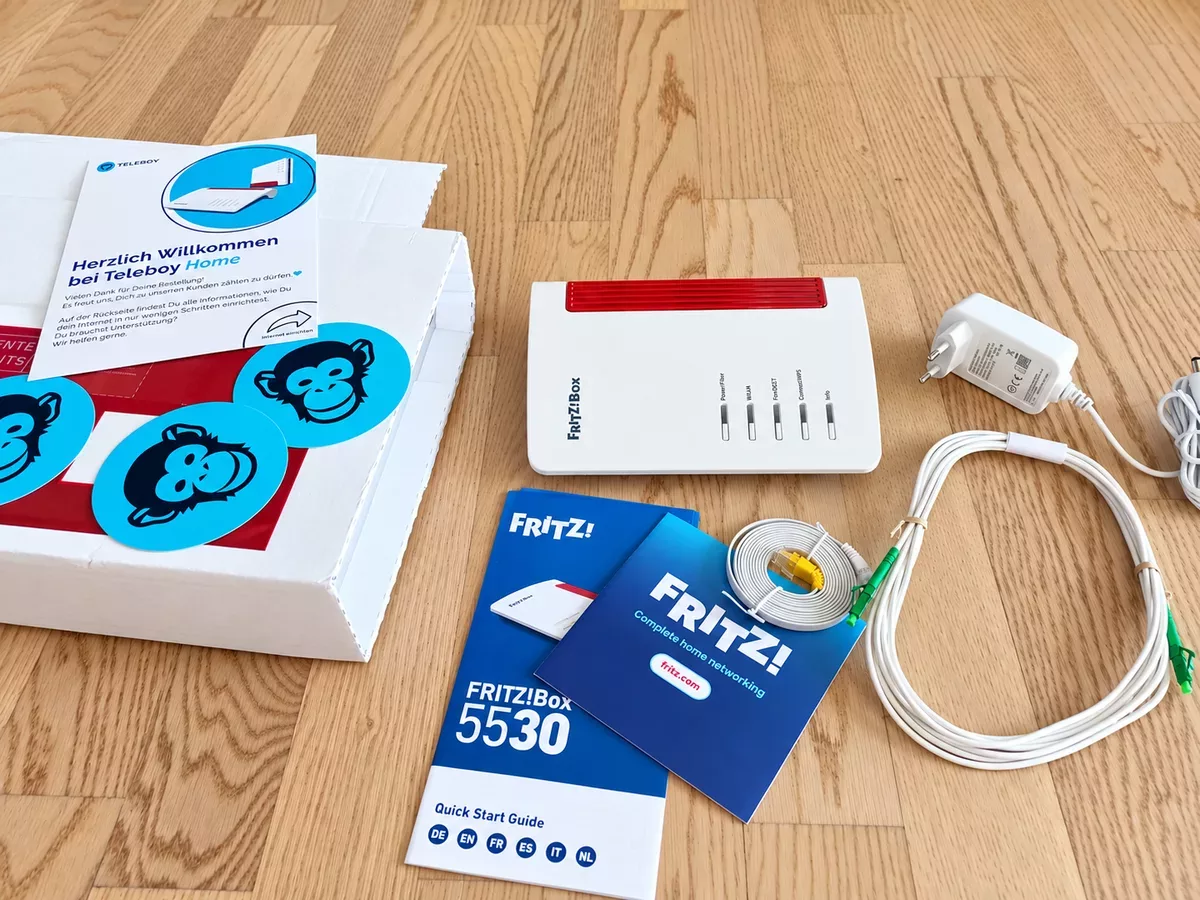
Two weeks before the switch, Teleboy emailed me to say my parcel was on its way. The message included a tracking link and other helpful information. The parcel arrived just one day later.
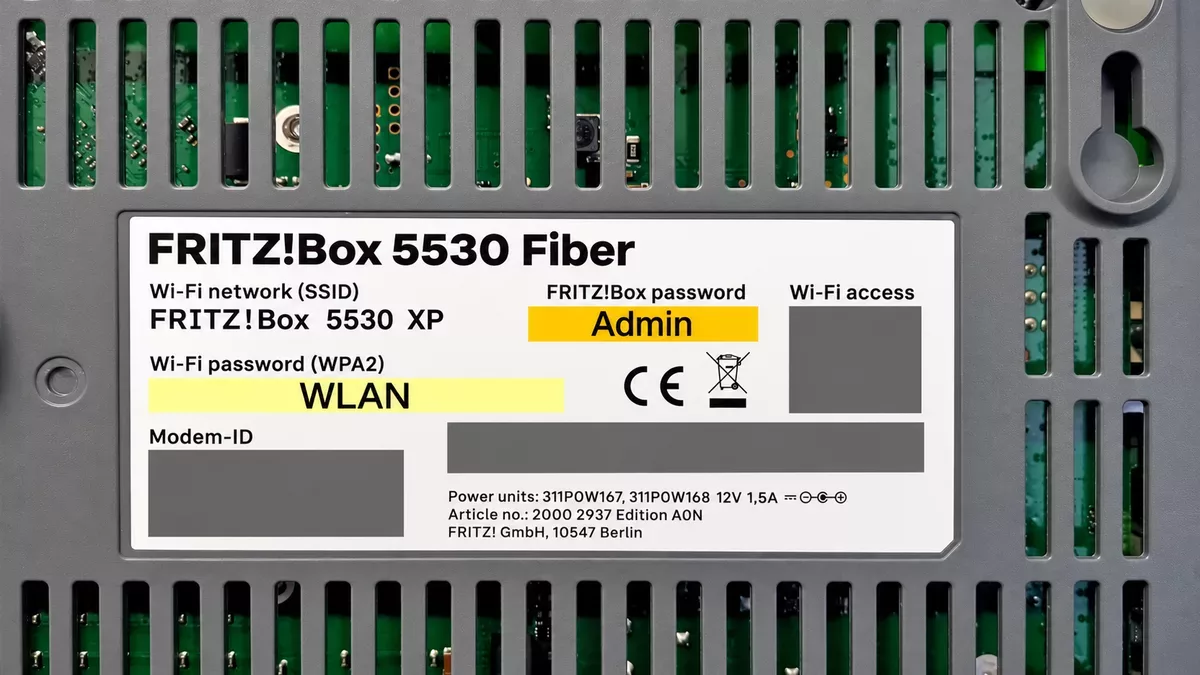
Tip: Take a Photo of the Router’s Underside
Before installation, take a photo of the router’s underside with your smartphone. This keeps your Wi-Fi and router administration login details within easy reach.
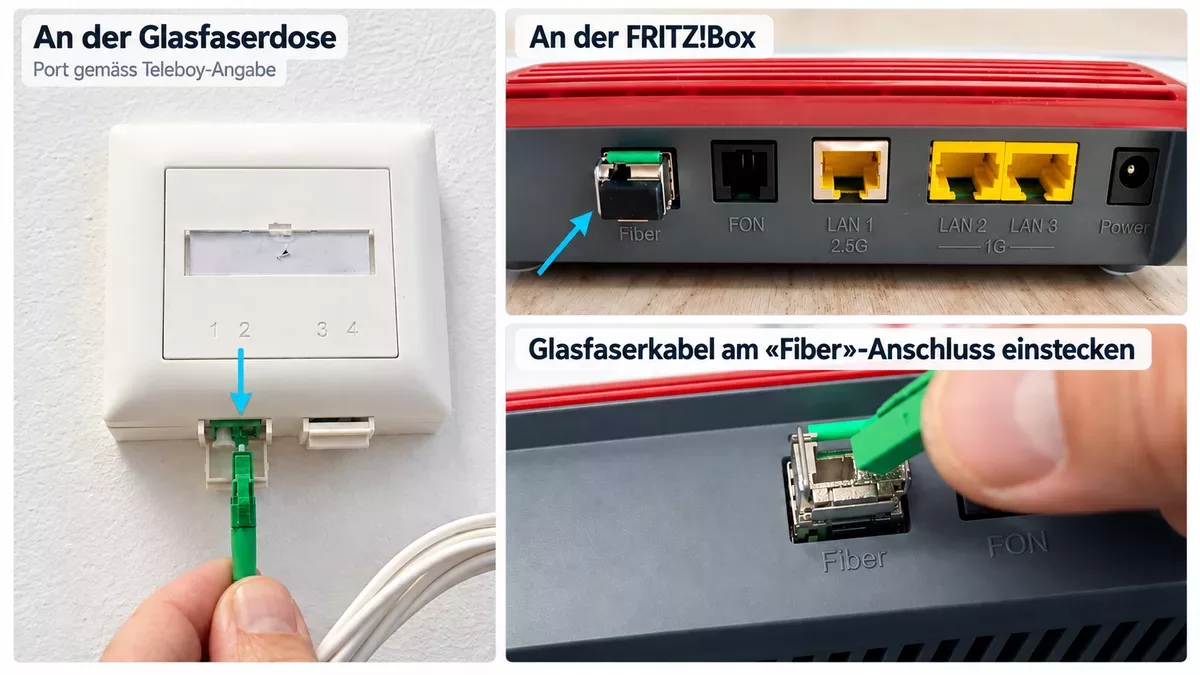
1. Connect the Fiber Cable
Remove the protective caps and connect the cable to the fiber wall socket and the FRITZ!Box’s fiber port. Use the port on the wall socket specified by Teleboy. Important: Avoid sharp bends in the cable.
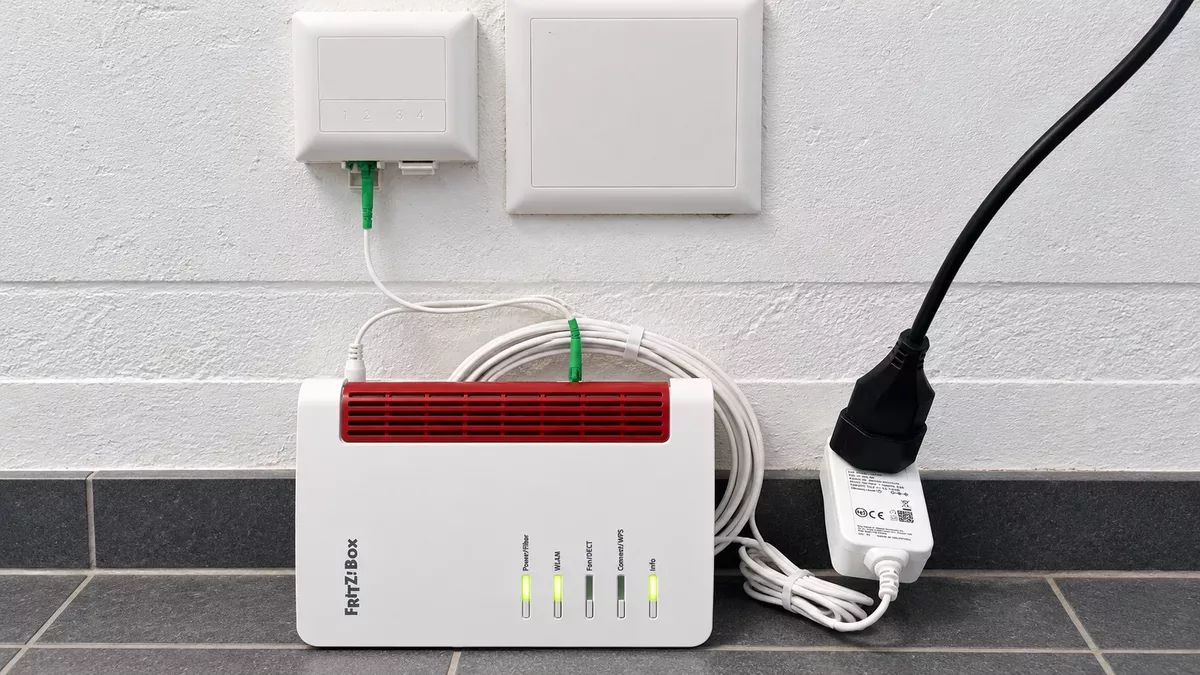
2. Start the Router
Connect the power adapter and let the router start up – there is no power switch. The Power LED flashes initially. In my case, the Power, WLAN and Info LEDs stayed lit after about two minutes. I could then connect to Wi-Fi.
Important: Internet access is only available from the activation date and time provided by Teleboy.
3. Connect to Wi-Fi
In Windows, click the network icon in the bottom-right corner. Select your FRITZ!Box’s Wi-Fi name (SSID) and click Connect. Enter the Wi-Fi password and click Next. You can find the password in your photo of the router’s underside.
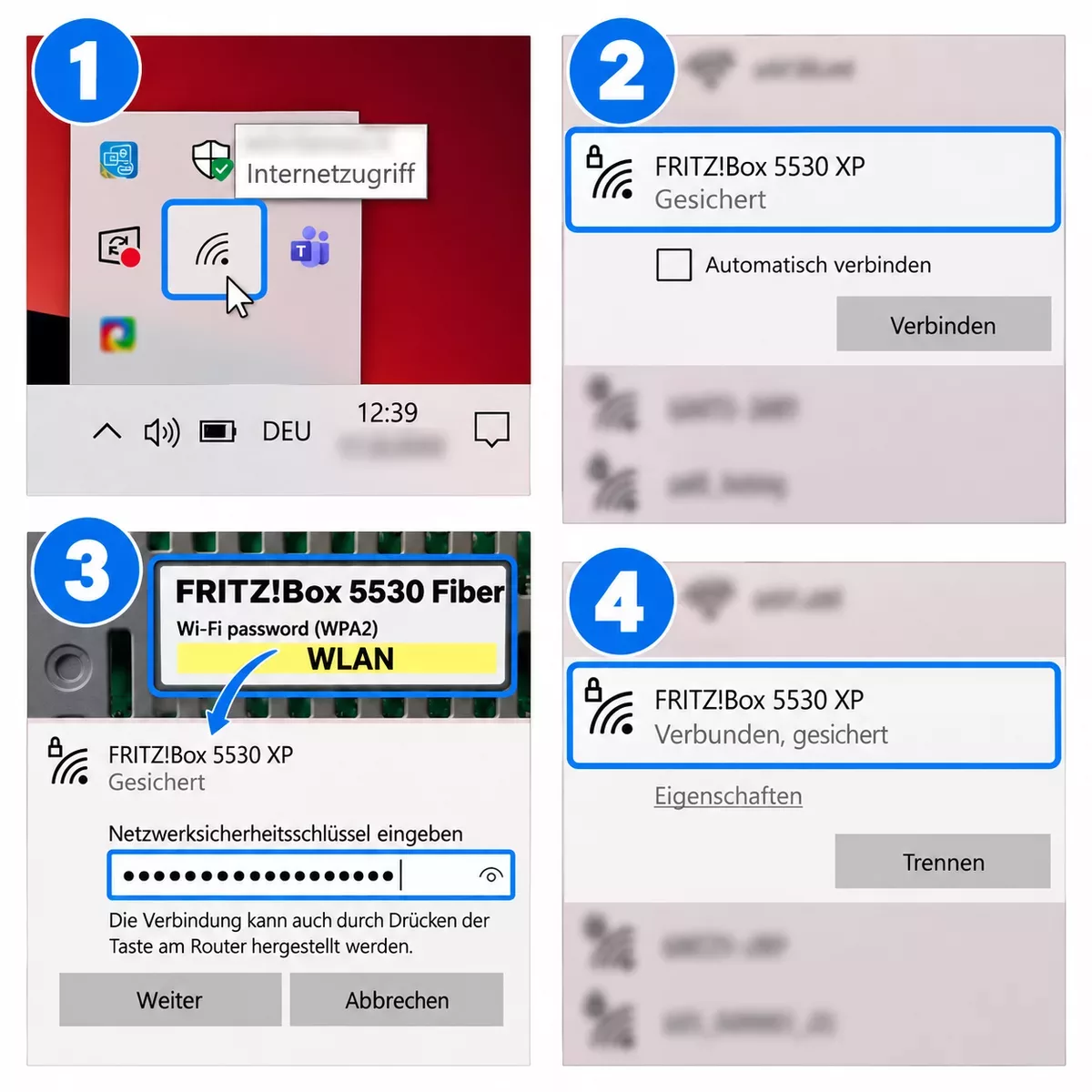
Once “Connected, secured” appears, you are connected to Wi-Fi. On a smartphone or tablet, you can alternatively scan the “Wi-Fi access” QR code on the router’s underside to connect without entering a password. This works as long as the default Wi-Fi login details have not been changed.
4. Test Your Internet Connection
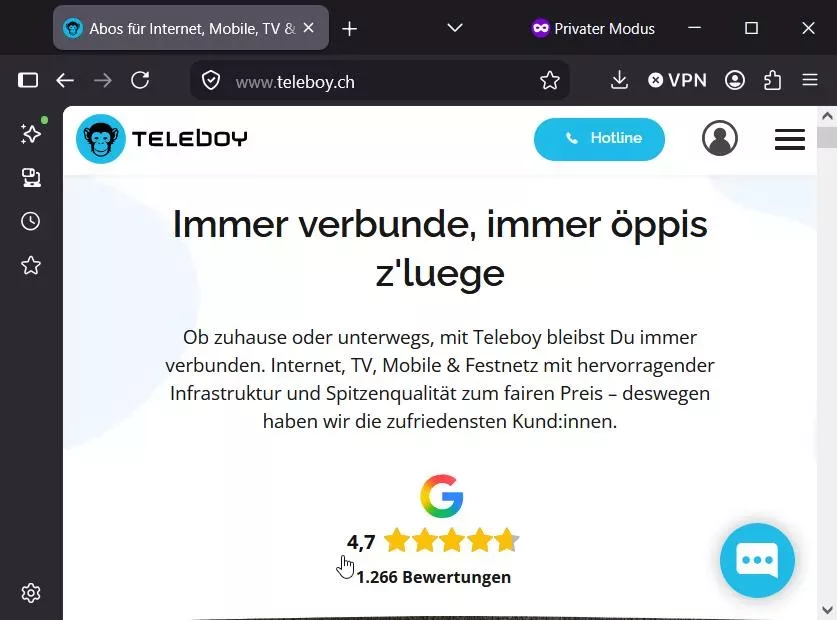
Open your web browser and enter teleboy.ch in the address bar. In my case, internet access worked immediately.
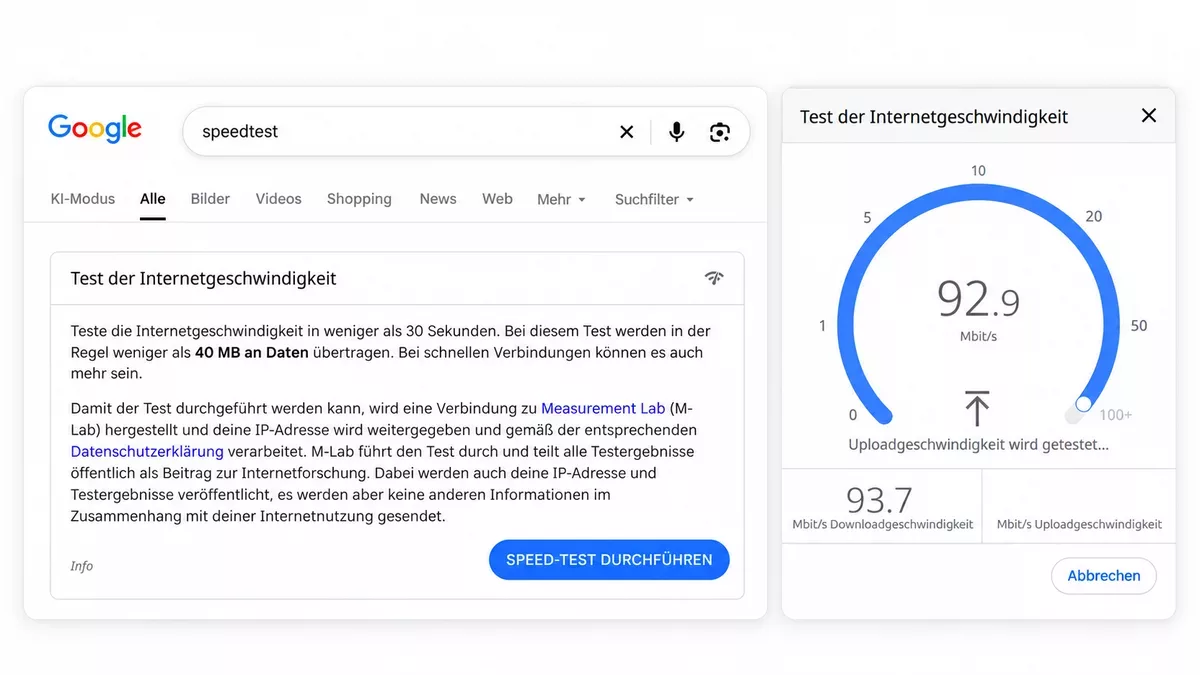
Tip: Use a speed test to measure your download and upload speeds. For a meaningful result, make sure no other devices or programs are using the internet connection during the test.
Having Trouble Getting Connected?
Installation was very straightforward for me, and internet access worked immediately. However, problems can still occur during setup.
Teleboy support will be happy to help. Here is the troubleshooting guide I received from Teleboy by email.
Optional: Access the Router Settings
No further configuration is needed for normal internet access. You can stop here.
If you want to adjust Wi-Fi settings, change passwords or set up a guest network, open https://fritz.box while connected to the FRITZ!Box.
Because the FRITZ!Box uses a self-signed certificate, your browser may display a certificate warning. This is expected when accessing your own FRITZ!Box on your local network via fritz.box. In Firefox, select Advanced → Accept the Risk and Continue to reach the login page. The wording differs slightly in other browsers.
Log in using the password labelled “FRITZ!Box password” on the router’s underside. It is marked “Admin” in the image and is different from the Wi-Fi password.
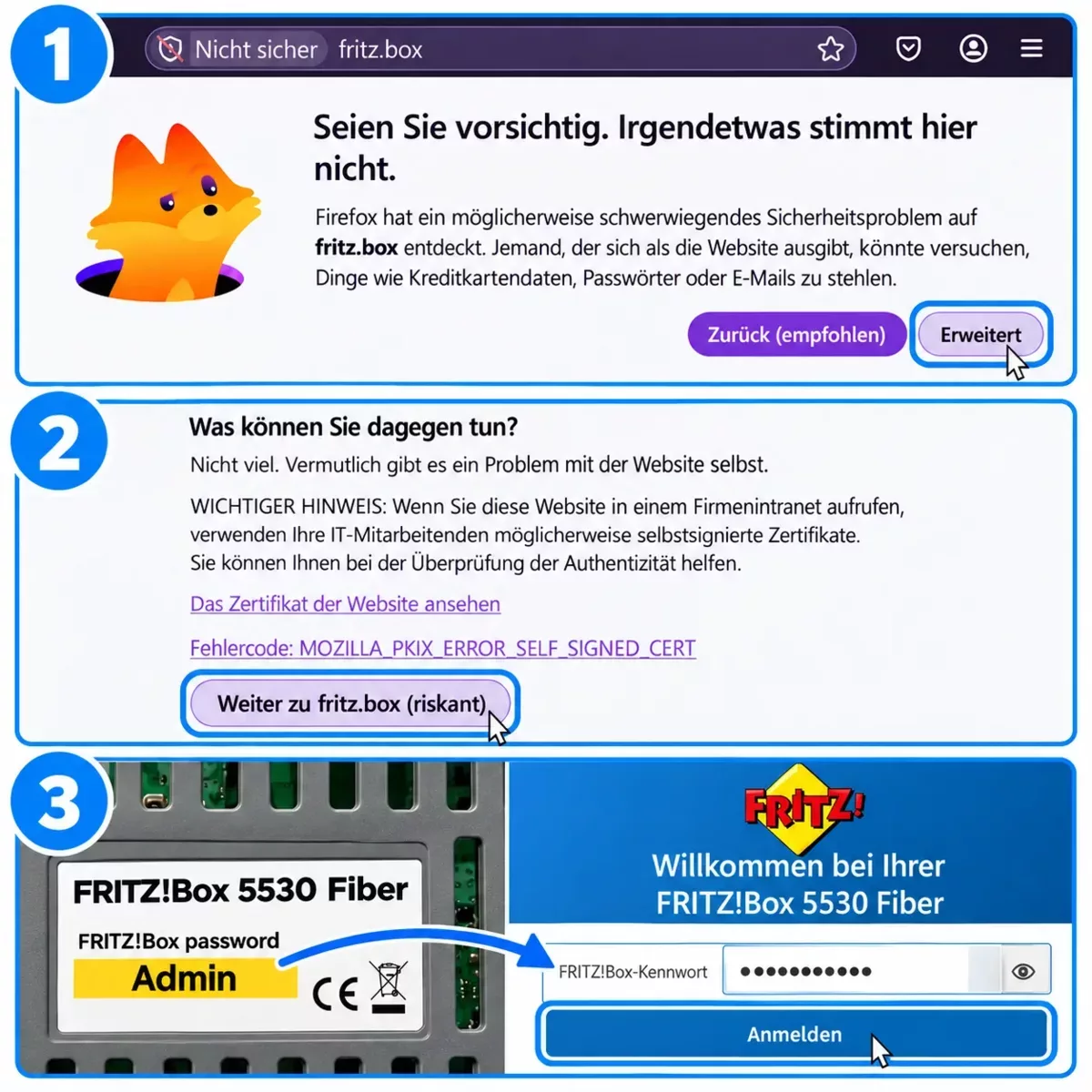
Logging In to the FRITZ!Box for the First Time
When you first log in, select your language and country. After the router restarts, log in again and confirm the privacy settings. The FRITZ!Box overview will then appear.
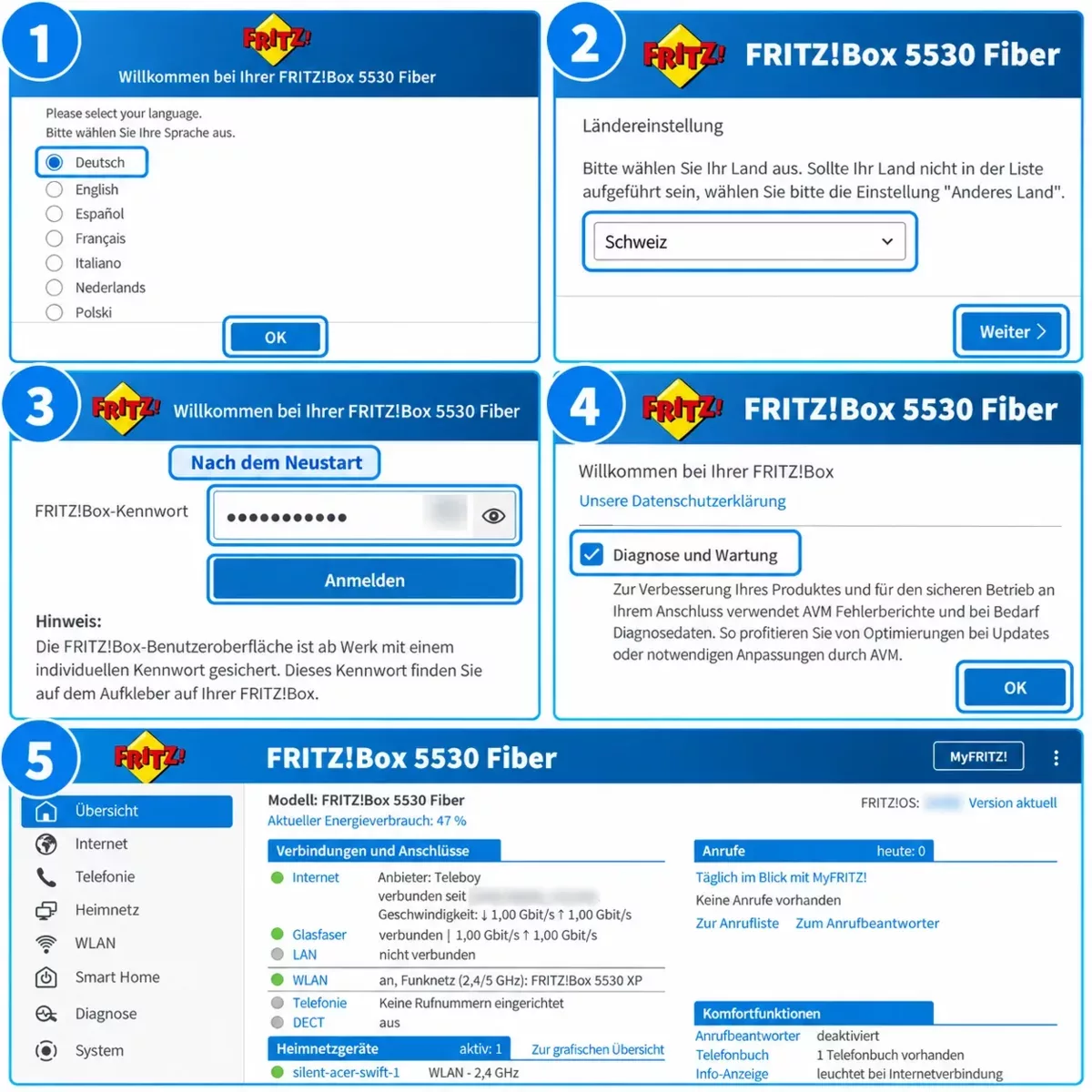
The FRITZ!Box offers many settings. I find guest Wi-Fi particularly useful: visitors can access the internet without gaining access to your home network.
Enable Guest Wi-Fi
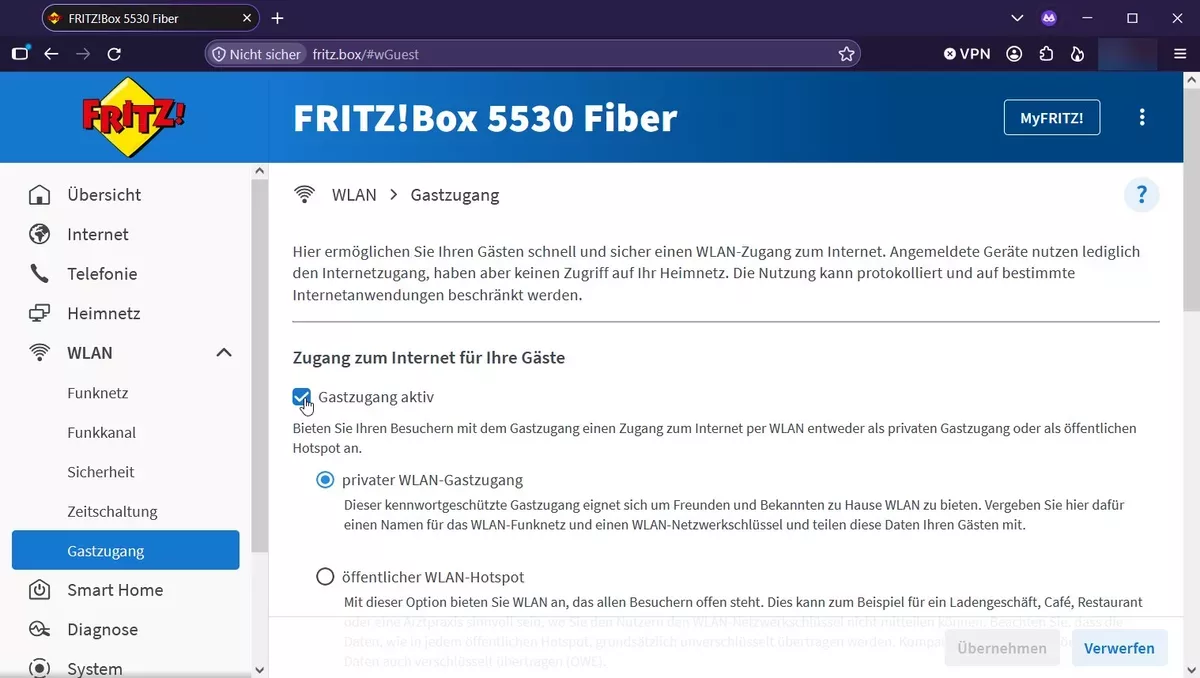
In the menu on the left, select Wi-Fi > Guest Access and enable “Guest access enabled”. Set a Wi-Fi name and password for your guests, then apply the settings. The remaining options are clearly explained in the interface.
Using Your Own Firewall?
This section is for experienced users who want to run their own firewall. The FRITZ!Box 5530 does not support bridge mode. Teleboy advises using hardware you purchase yourself and provides only limited support for this setup.
I have already tested a compact and affordable solution successfully. You can find the hardware details and complete setup instructions in my article Fiber Internet with Your Own Firewall: Does It Work Without Bridge Mode?
My Verdict on Teleboy Internet
It may be hard to believe, but my experience with Teleboy has been entirely positive so far: excellent support, fair terms and an affordable plan on the Swisscom fiber network. Add straightforward setup and a stable connection – exactly what I want from an internet provider.
The support stood out in particular: quick replies, knowledgeable help and the feeling that someone cared about resolving my questions. For me, switching was worth it.
Thinking of switching to Teleboy? Enter my referral code HOME-TAFA7JUG when ordering. We will both receive CHF 50 credit.
What Other Customers Say
Other customers also report positive experiences with Teleboy. Its Trustpilot rating is 4.6 out of 5 stars based on 754 reviews (as of October 13, 2026). Here is a selection:
“Support is very good and easy to reach, and communication during the switch to fiber went extremely well.”
“The fiber connection was set up ahead of time, and the router arrived on schedule. Installation was quick.”
“The internet connection is reliable. Apart from a single outage, it just works without any problems.”
“The internet service is very good and, for me, on the same level as Swisscom was before. The value for money is excellent.”
